


You do good work. Your customers are happy. They tell you so in person, and some send their friends to you.
But when a new customer looks you up on Google, they see only a handful of reviews — some of them years old. A competitor down the road, who is not better than you, has many more.
What is going on? Usually it is simple: happy customers do not think of leaving a review, and nobody asked them.
This article explains how to ask for reviews in an honest, simple way — and the shortcuts that can get your business into real trouble.
Why reviews matter so much
When someone is choosing between three shops they have never visited, reviews are often what decides it. People read them to answer simple questions: Are they honest? Are they on time? Are they kind when something goes wrong?
Reviews also help Google. Google says that the number of reviews and the ratings you get are part of how it judges how well known a local business is. So real reviews help both your customers and your place on Google.
The key word is real.
What Google does not allow
Google has clear rules for reviews on Maps and Search. In plain words, you must not:
- Buy reviews, or pay anyone — an agency, a friend, a “review service” — to post them.
- Write reviews yourself, or ask staff or family to review your own business.
- Offer something in return — a discount, a free item, a gift or a lucky draw entry — for leaving a review.
- Ask only happy customers. Google’s rules say businesses should not pick and choose who to ask so that only good reviews come in.
- Post bad reviews about a competitor.
Google removes reviews it finds breaking these rules, and in some cases it can also restrict the business profile or show a warning to people who view it. Many countries also have consumer-protection rules about fake reviews. It is simply not worth the risk.
The good news: the honest way works, and it builds something that lasts.
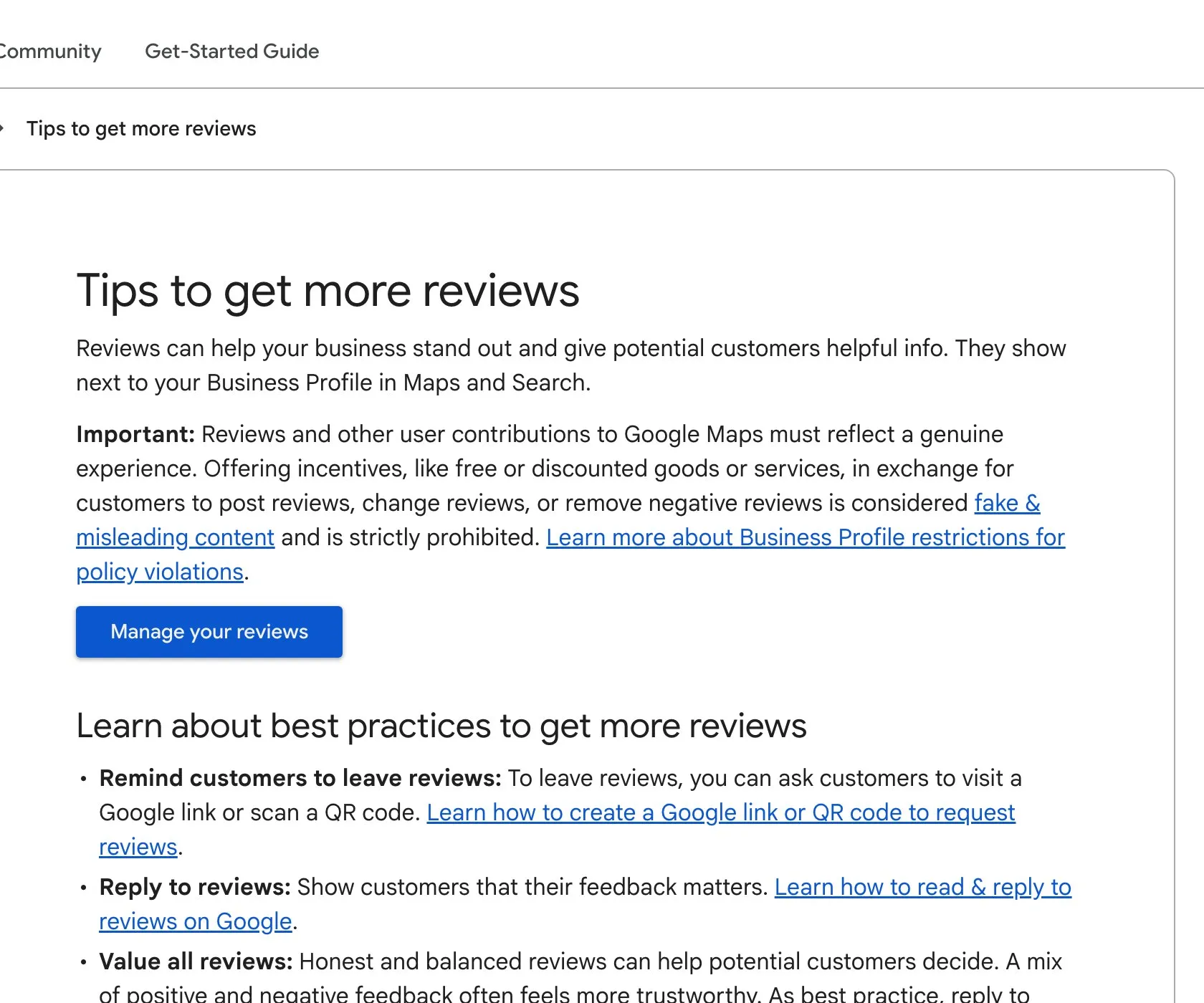
Google’s help page “Tips to get more reviews”. Note both halves: rewards for reviews are not allowed, and a simple review link or QR code is recommended. Screenshot taken 23 October 2026.
Step 1 · Get your review link
Google gives every business profile a short link that opens the review box directly. You can find it when you are signed in to your Business Profile, under the option to ask for reviews.
Copy this link and keep it handy. You can also turn it into a QR code — a small square that people scan with their phone camera — and print it.
Step 2 · Ask at the right moment
The best time to ask is just after the customer feels the good result:
- when you hand over the order and they smile;
- when the repair is done and working;
- when the patient says they feel better;
- when the delivery arrives on time.
Do not wait a month. By then, the feeling has gone.
Step 3 · Ask everyone, simply
Ask every customer the same way. Do not pick only the friendly ones. A simple, honest message works best. For example:
“Thank you for choosing us today. If you have two minutes, we would be grateful if you could share your honest experience on Google. It helps other people find us. Here is the link: [your link]”
Notice the word honest. You are asking for their real experience, not for five stars.
You can say this in person, send it on WhatsApp, add it to your bill, or put the QR code on your counter. Use whatever fits how you already talk to your customers. Write it in the language your customers use — Hindi, English or any other.
Step 4 · Make it easy
Every extra step loses people. So:
- send the direct link, not “search for us on Google”;
- keep the message short;
- if someone says they do not know how, show them on their phone, once, without pressure.
Never take a customer’s phone and type the review for them. The words must be theirs.
Step 5 · Reply to every review
When reviews come in, reply to each one:
- Good review: thank them by name and mention something specific. “Thank you, [name]! Glad the cake was a hit at your daughter’s birthday.”
- Bad review: do not argue in public. Say sorry for their experience, explain briefly if needed, and invite them to contact you directly to fix it.
Do not share any private details, like order amounts or phone numbers, in your reply.
A bad review is not the end of the world. A business with only perfect reviews can look less believable. What new customers watch is how you respond.
Step 6 · Make it a habit, not a campaign
Do not ask fifty people in one week and then stop for a year. A steady flow of reviews, month after month, looks natural and keeps your profile fresh. Make asking part of your normal routine — like giving a bill.
Your checklist for this week
- Get your review link from your Google Business Profile.
- Make a QR code from it and put it where customers pay or collect.
- Write one short, honest message asking for a review, in your customers’ language.
- Send it to every customer after their visit or order — not only the happy ones.
- Reply to all your existing reviews, starting with the oldest unanswered ones.
- Make sure nobody on your team offers gifts or discounts for reviews.
If you would like help setting up a simple, honest review routine for your business, message us on WhatsApp — we reply 24/7.
Sources
The official pages this guide is based on:


