


A Shopify store can look finished long before it is ready.
The design is lovely. The products are up. The website address works. You share the link with friends and family — and then the first real order comes in. The payment fails. Or the parcel cannot be delivered to that pincode. Or your accountant says the bill is no good for GST.
This happens to many new online sellers in India. The fix is to check a few things before you tell the world your store is open. Here is the full list, in simple words.
1 · Getting paid
Shopify’s own payment service does not work in India. Indian stores use a separate payment company that connects to Shopify. Well-known ones include Razorpay, PayU, Cashfree and PhonePe.
What to do:
- Apply early. These companies check your business papers and your website before they switch your account on. This can take some days, so do not leave it for launch week.
- Offer the ways people actually pay. UPI is the most common for many shoppers. Add cards, net banking and wallets too.
- Test with real money. Place a small order yourself with each payment method. Then refund it. Check that the money arrives in your bank account and that the refund reaches you.
Shopify’s own help centre explains this: stores can choose from many outside payment providers, and you switch them on from the Payments page of your Shopify admin.
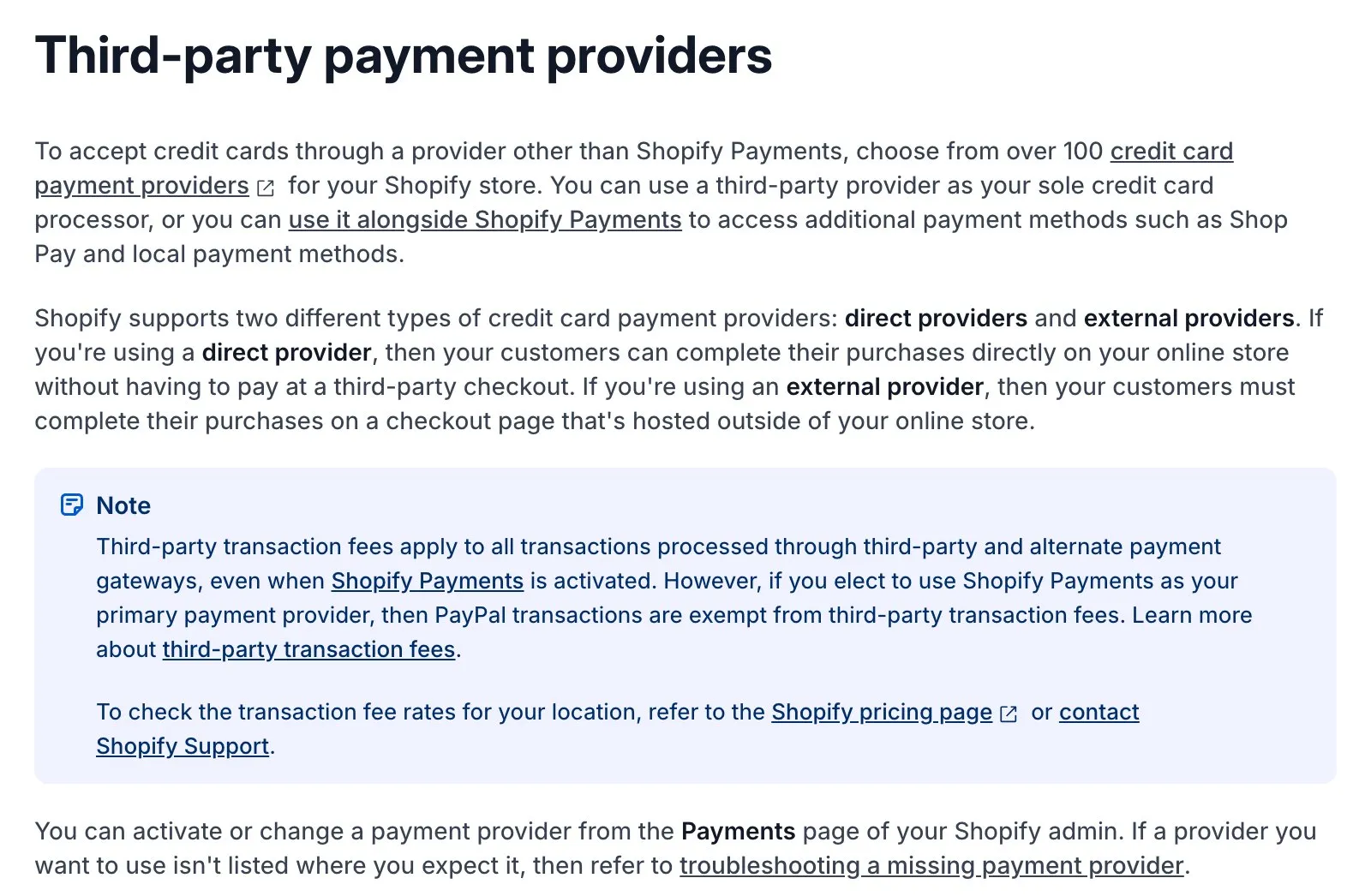
Shopify Help Centre, “Third-party payment providers”. Screenshot taken 23 October 2026.
2 · Cash on delivery
Many Indian shoppers — especially those buying from a new brand for the first time — still prefer to pay when the parcel arrives. If you switch cash on delivery off, you may lose these sales.
But cash on delivery has a risk: people sometimes refuse the parcel at the door, and you pay shipping both ways. Sellers call these “RTO” orders (return to origin).
So keep cash on delivery, with a few simple rules:
- Set a limit, for example cash on delivery only for orders below a certain amount.
- Charge a small extra fee for cash on delivery if you need to — and say so clearly before checkout.
- Confirm before you ship. Send a quick WhatsApp message or make a call: “Your order of a blue kurta is ready. Shall we send it?” Orders that are not confirmed are the ones most likely to come back.
3 · GST and bills
Talk to your accountant before your first sale, not after. Agree on three things:
- Will your prices include GST or show it separately?
- Which GST rate applies to which product?
- What should your bill (invoice) look like?
Then set the taxes in Shopify to match, and check them with a test order. One important point: Shopify’s normal order emails are not GST invoices. If your accountant needs proper GST bills, with your GST number and product codes, use a GST invoice app from the Shopify app store.
4 · Delivery
- Connect a delivery partner that reaches the places your customers live — big cities, small towns and villages. Delivery companies or aggregators (services that compare and book several couriers for you) make this easier.
- Check pincodes. Before launch, test a mix: a metro city, a small town and a remote area. Make sure your partner can deliver there, and collect cash on delivery there too.
- Set delivery charges you can afford to honour, including any “free delivery above ₹X” offer.
- Be honest about delivery time. Show realistic dates on the product page and in the cart. A late parcel that was promised “tomorrow” brings bad reviews.
5 · The checkout
- Keep it short. Only ask for what you need to deliver the order.
- Do not edit Shopify’s checkout code yourself. Use Shopify’s own settings and approved apps to change it. They stay safe when Shopify updates.
- Send updates on WhatsApp. Many Indian customers prefer order updates there rather than email. Shopify apps can do this — with the customer’s permission.
- Turn on “forgotten cart” reminders. When someone fills the cart but does not pay, a polite reminder brings many of them back.
6 · The pages customers (and the law) expect
India’s Consumer Protection (E-Commerce) Rules, 2020 expect online sellers to be clear about who they are and how customers can raise a problem. So your store should clearly show:
- your business name and address, and how to contact you;
- a return and refund policy, a delivery policy, terms of service and a privacy notice;
- who to contact with a complaint, and how complaints are handled.
Also, no tricks. India’s consumer authority has issued rules against misleading designs — for example fake “only 2 left!” messages, hidden charges added at the last step, or boxes that are ticked in advance to add extras. Avoid them. They break trust and the rules.
Please have a professional check your policies. This list is a guide, not legal advice.
7 · Speed and counting
- Open your store on an ordinary Android phone, on mobile data — not only on your office Wi-Fi. That is how most of your customers will see it.
- Remove apps you do not use. Every app can slow your store down.
- Connect Google and Facebook properly, through Shopify’s official settings, and check that a test purchase is counted once. (Our article on setting up counting before ads explains why this matters.)
The day-before checklist
- One real order placed and refunded with every payment method, including cash on delivery.
- GST settings and the bill format checked by your accountant.
- Five pincodes checked for delivery.
- Return, delivery, privacy and terms pages published and linked at the bottom of every page.
- Google and Facebook counting tested with a test purchase.
- Every login — Shopify, website address, payment company, delivery partner — in the business owner’s name.
Get these right, and your first order becomes the first of many, not your first problem. If you would like help, message us on WhatsApp — we reply 24/7.
Sources
The official pages this guide is based on:
- Shopify Help Centre — Third-party payment providers
- Shopify Help Centre — Sales channels
- Government of India — Consumer Protection (E-Commerce) Rules, 2020, and the Guidelines for Prevention and Regulation of Dark Patterns, 2023 (Central Consumer Protection Authority)


