


Open your own website and look at the page for your main service. Read it as if you were a stranger.
Does it say clearly what you do? Who it is for? Where you work? What happens after someone gets in touch?
On many small-business websites, the honest answer is no. The page has a big heading like “Quality You Can Trust”, a long list of everything the business has ever done, and a contact form at the very bottom. A visitor reads two lines, does not find their answer, and goes back to Google to try the next name.
The good news: a service page is one of the easiest pages to fix. You already know everything that should be on it. It is mostly a matter of putting it in the right order, in plain words.
Why so many service pages do not work
Most service pages are written once, in a hurry, when the website is built. Often they are copied from a competitor or a template and changed a little. So they all sound the same: “We provide best-in-class solutions with customer satisfaction as our priority.”
A customer cannot use a sentence like that. It does not tell them anything they can check or act on.
Meanwhile, the customer arrives with a real question in their head:
- Do you do the exact thing I need?
- Do you work in my area?
- Roughly how does it work, and how long does it take?
- Can I trust you?
- How do I get started?
A good service page answers those questions, in that order, without making the reader hunt. That is all. It does not need clever words. It needs useful ones.
Google wants the same thing. It says openly that it tries to show pages written to help people, not pages written only to rank. A page that clearly answers a customer’s questions is the kind it is looking for.
Google’s starter guide for website owners says the same thing in its first lines: build your website for the people using it, and make it easy for them to find and understand what you offer. There is no secret setting that replaces that.
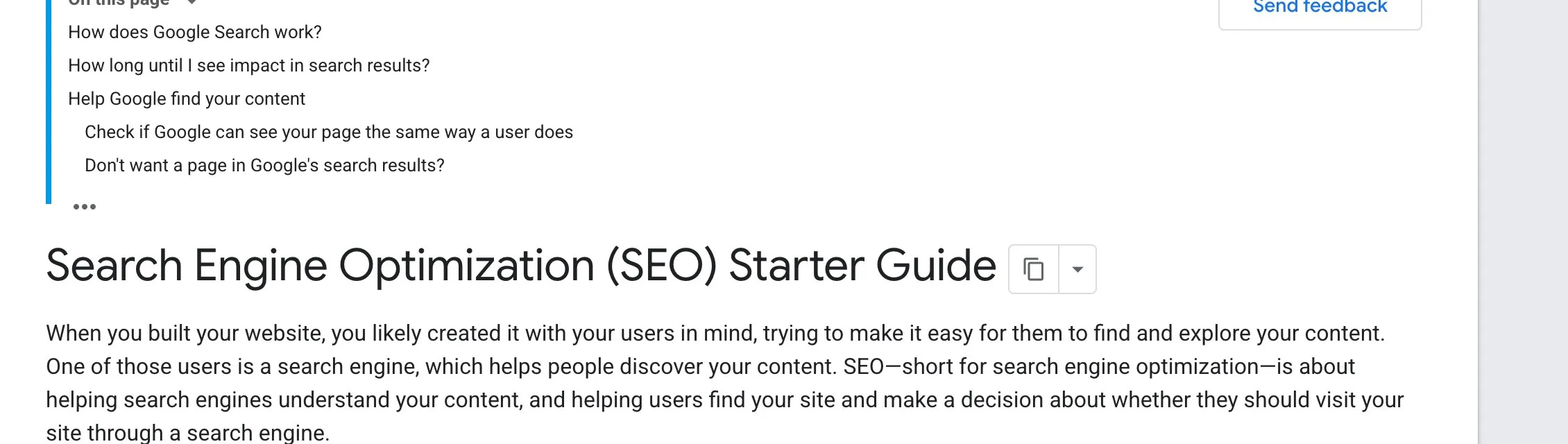
Google’s “SEO Starter Guide” (Google Search Central). Screenshot taken 23 October 2026.
Step 1 · One page for each main service
If you offer three very different services, give each one its own page. A dental clinic that does braces, implants and children’s check-ups has three different kinds of customer, each with their own worries.
One page that mixes everything together helps none of them. One page per service lets you speak to each person directly.
Step 2 · Say what, for whom and where — in the first lines
The top of the page is the most read part. Use it well. Your heading and first sentence should tell the visitor three things:
- what you do;
- who it is for;
- where you do it.
Not “Excellence in Interiors”, but “Interior design for 2 and 3 BHK flats in Jaipur”. Not “Your Health, Our Priority”, but “Braces and clear aligners for teenagers and adults in Jodhpur”.
A visitor should know within five seconds whether they are in the right place.
Step 3 · Write down the questions people already ask you
You do not need to guess what to write. Your customers have already told you.
Spend one day noting every question that comes in on the phone, on WhatsApp and at the counter. Ask your staff too. You will quickly see the same ten or fifteen questions again and again: “How long does it take?” “Do you visit the site first?” “What do I need to bring?” “Can I pay in parts?”
Each of those questions deserves a short, honest answer on the page. Use the customer’s own words for the question, then answer it in two or three simple sentences.
Step 4 · Explain how it works, step by step
People feel safer when they can picture what will happen. Describe your process in four to six short steps. For example:
- You send us a message or call.
- We visit, measure and listen to what you want.
- We share a design and a written estimate.
- Work starts on an agreed date.
- We hand over and check everything with you.
That is far more convincing than “hassle-free service”, because the reader can see it.
Step 5 · Show real proof
Proof is anything a customer can check. Good examples:
- photos of your own work (not stock photos);
- real reviews, with the customer’s permission;
- how long you have been in business, and where;
- any registrations or certificates that apply to your trade.
Only use proof that is true. One honest photo of a finished kitchen is worth more than ten polished pictures taken from the internet.
Step 6 · Be clear about price, even if you cannot give one number
You do not have to publish a price list. But do help people understand what affects the cost — size, materials, number of visits, urgency. If you can share a starting price or a typical range, say so. People who know roughly what to expect are more likely to get in touch, and less likely to waste your time.
Step 7 · Make the next step easy
Tell the reader exactly what to do next, and make it one tap: a WhatsApp button, a phone number that calls when tapped on a mobile, or a short form. Put it near the top and again at the end. Say what happens after they contact you: “We reply within the working day” is useful, if it is true.
Step 8 · Read it on your phone
Most of your visitors will be on a mobile phone. Open the page on yours. Are the paragraphs short? Is the text big enough? Can you find the WhatsApp button without scrolling forever? Fix anything that feels slow or crowded.
Your checklist for this week
- Open your main service page on your phone and read it as a stranger.
- Rewrite the heading and first sentence so they say what you do, for whom and where.
- Collect the ten questions customers ask most, and answer each in two or three plain sentences.
- Add a simple “how it works” section in four to six steps.
- Replace stock photos with photos of your own real work.
- Put one clear contact button at the top and at the end, and test that it works.
If you would like a second pair of eyes on your service pages, or help writing them, message us on WhatsApp — we reply 24/7.
Sources
The official pages this guide is based on:


