


You paid for a website. It looks nice. Your family likes it. But very few people call or message from it.
When you look at it again, you notice something. The top of the home page has a big photo, a line like “Welcome to Excellence”, and a lot of empty space. A stranger who lands there still does not know what you sell, where you are, or how to reach you.
This is one of the most common problems on small business websites. The good news: it is also one of the easiest to fix. You do not need a new website. You need to change what the first screen says.
What is really going on
When someone opens your website, they are usually in a hurry. They found you on Google, on Instagram or through a friend’s link. They are often on a phone, maybe standing in a queue or sitting in an auto.
In the first few seconds, they are quietly asking three questions:
- Is this what I am looking for?
- Can they help me — here, where I live?
- What do I do next?
If the first screen answers these, they keep reading or they contact you. If it does not, they press “back” and try the next result. They are not being rude. They just have other options one tap away.
The “first screen” means what people see before they scroll. On a phone, that is a small space. So every line there has to earn its place.
Step 1 · Say plainly what you do
Write one short sentence that a twelve-year-old would understand. For example:
- “Ladies’ salon in Shastri Nagar, Jodhpur — hair, skin and bridal make-up.”
- “We repair and service home ACs across Pune, usually the same day.”
- “Handmade cotton bedsheets, printed in Jaipur, delivered across India.”
Avoid lines like “Your partner in growth” or “Where quality meets passion”. They sound nice, but they could belong to any business. A visitor cannot tell what you sell from them.
A simple test: cover your logo and read only the main line. Could someone guess your business? If not, rewrite it.
The same words matter before anyone even opens your website. In Google’s results, your page appears with a title link — usually taken from your page title. A title that says what you do and where (“Eggless cakes delivered across Jaipur”) is clearer than “Home” or “Welcome”.
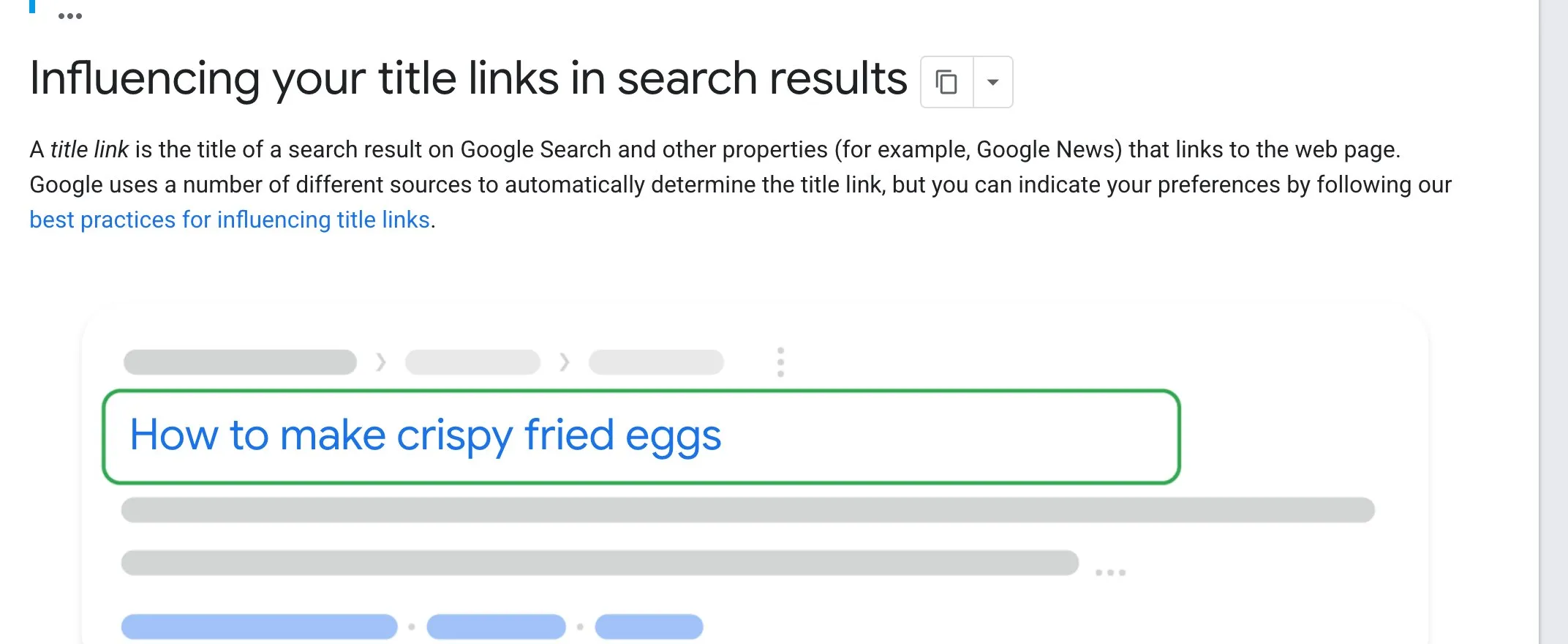
Google Search Central, “Influencing your title links in search results”. Screenshot taken 23 October 2026.
Step 2 · Say where you work
If your customers are local, say the city — and if it helps, the area. People often search with a place in mind, like “AC repair near me” or “salon in Jodhpur”. When they see their city on your first screen, they relax: “Good, this is near me.”
If you sell across India or abroad, say that instead: “We ship across India” or “We work with clients in India and abroad.”
Step 3 · Give one clear next step
Pick the one action you most want a visitor to take. For many Indian small businesses, that is one of these:
- Message us on WhatsApp
- Call now
- Book an appointment
- Shop now (for an online store)
Make it a clear button, in a colour that stands out from the page. You can add a second, quieter option next to it — for example “See our prices” — but not five. When everything is shouting, nothing is heard.
On a phone, a “Call” or “WhatsApp” button should open the call or chat straight away, with one tap. Test this yourself.
Step 4 · Add one reason to trust you
Below the main line, add one small piece of proof. Choose what is true and easy to check:
- the year you started (“Since 2009”);
- your Google rating, if it is good, with a link to the reviews;
- a well-known brand you are an authorised dealer for;
- a simple promise you can keep (“Free visit charge if we cannot fix it”).
Do not invent numbers. One honest line is worth more than three big claims.
Step 5 · Use a photo that helps, not one that only decorates
A photo of your real shop, your real work or your real product tells a visitor more than a stock photo of smiling strangers. If you are a salon, show a real finished look. If you make furniture, show a real piece in a real room.
Also check that the photo is not so large that it pushes your main line and button below the first screen on a phone. The words and the button matter more than the picture.
Step 6 · Make sure the rest of the home page answers the next questions
Once the first screen does its job, people scroll to learn more. A helpful order for the rest of the page is:
- What you offer — your main services or products, each in a line or two.
- How it works — the simple steps from first message to finished job.
- Proof — a few real reviews, photos of real work.
- Common questions — prices (or price ranges), timings, area covered.
- How to reach you — phone, WhatsApp, address, map, opening hours.
Repeat your main button near the bottom, so people do not have to scroll all the way back up.
How to check your own home page today
You do not need any tools for this — only a phone and a friend.
- Open your website on your phone, not your computer.
- Hand it to someone who does not know your business well.
- Give them five seconds. Then take the phone back.
- Ask: “What do we do? Where are we? What would you tap to contact us?”
If they cannot answer all three, the first screen needs work. Their answers will also tell you exactly which words were unclear.
Do the same test with two or three different people if you can. One person might be unusual; three people saying the same thing is a pattern.
A note for customers abroad
If you also serve customers outside India, the same rules apply. Say clearly which countries you serve, and give a contact option that works for them — for example WhatsApp or email, with your time zone mentioned. People abroad have the same three questions; they just need slightly different answers.
Your checklist for this week
- Write one plain sentence that says what you do and where.
- Remove or replace any slogan that could belong to any business.
- Choose one main button — WhatsApp, Call, Book or Shop — and make it stand out.
- Add one honest trust line, such as your starting year or Google rating.
- Swap stock photos for real photos of your shop, work or products.
- Do the five-second phone test with at least two people, and fix what confused them.
A clear first screen is a small change that helps every visitor who ever lands on your site. If you would like us to look at your home page and suggest plain-language changes, message us on WhatsApp — we reply 24/7.
Sources
The official pages this guide is based on:


